Documentation
For
- Administrator
- Editor
SEO and preview
Site content
Each page in Site content has SEO metadata and preview tools so you control how the page appears in search results, social shares, and on phones before you publish.
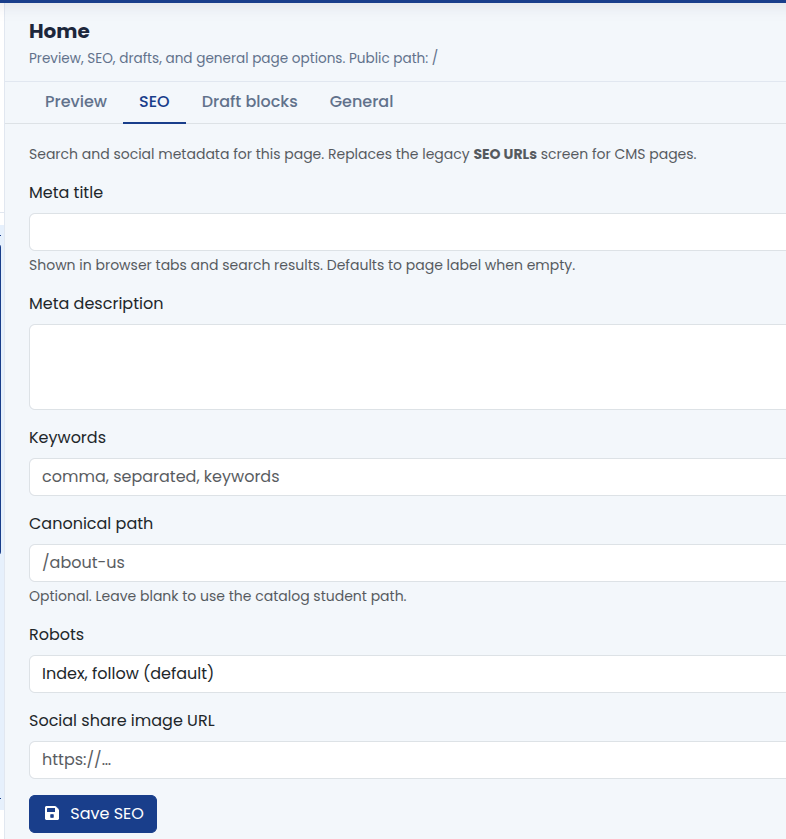
SEO tab (per page)
Open a page in the tree (not Site header/footer unless your build exposes SEO there), then open the SEO tab on the page workspace.
Typical fields:
- Browser title: shown in the tab and often as the main search result title (keep under roughly 60 characters when possible).
- Meta description: short summary for search snippets (roughly 150-160 characters; write for humans, not keyword stuffing).
- Keywords: optional; use only if your institute policy still tracks them.
- Canonical URL: use when the same content could appear under multiple URLs; ask your technical team if unsure.
- Robots: index/noindex and follow/nofollow for special cases (staging, thank-you pages).
- Social preview image: image used when the link is shared on social networks; use a clear crop at recommended size.
Good SEO helps prospects find courses and institute names they already search for. Align titles and descriptions with real page content.
Preview before publish
From the page workspace or block builder:
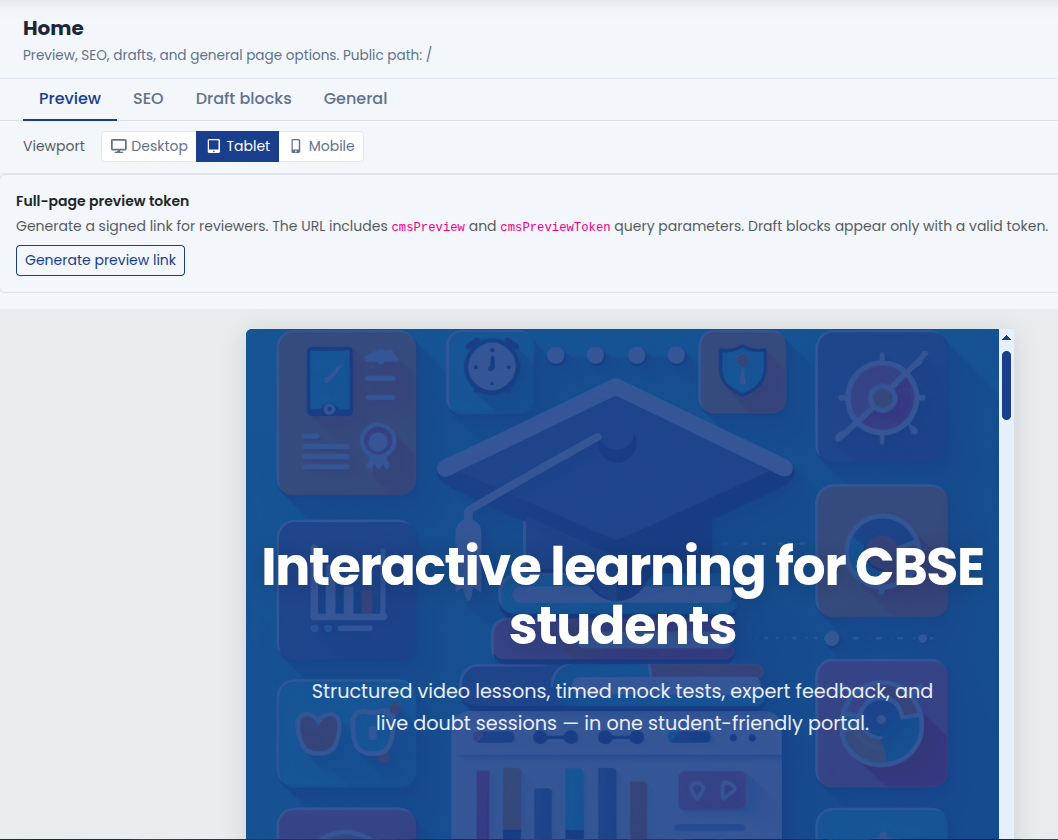
- Open Preview and switch desktop, tablet, and mobile layouts.
- Check hero text line breaks, image crops, and button placement on small screens.
- For stakeholder review, generate a preview link (signed token) if your deployment supports it; share only with reviewers and respect expiry.
Preview shows draft blocks according to your role; anonymous visitors only see published blocks on the live site.
Recommended workflow
-
Draft blocks in the builder and save.
-
Fill SEO title and description while the page topic is fresh.
-
Preview on mobile and desktop.
-
Publish blocks (or Publish all drafts on the page).
-
Spot-check the live URL and share once in a private window.
What you gain
- Fewer surprises after go-live on search and social cards
- Consistent titles across institute pages
- Confidence for marketing sign-off before campaigns launch
Troubleshooting
| Old title in Google | Search cache delays; confirm live source; allow days for re-crawl |
|---|---|
| Wrong social image | Social preview image on SEO tab; clear caches on social debugger tools |
| Preview differs from live | Draft vs published; log out or use private window for live check |
| Page not indexed | Robots setting; noindex on staging only |