Documentation
For
- Administrator
- Expert
Mock tests and gradebook
Learning (LMS)
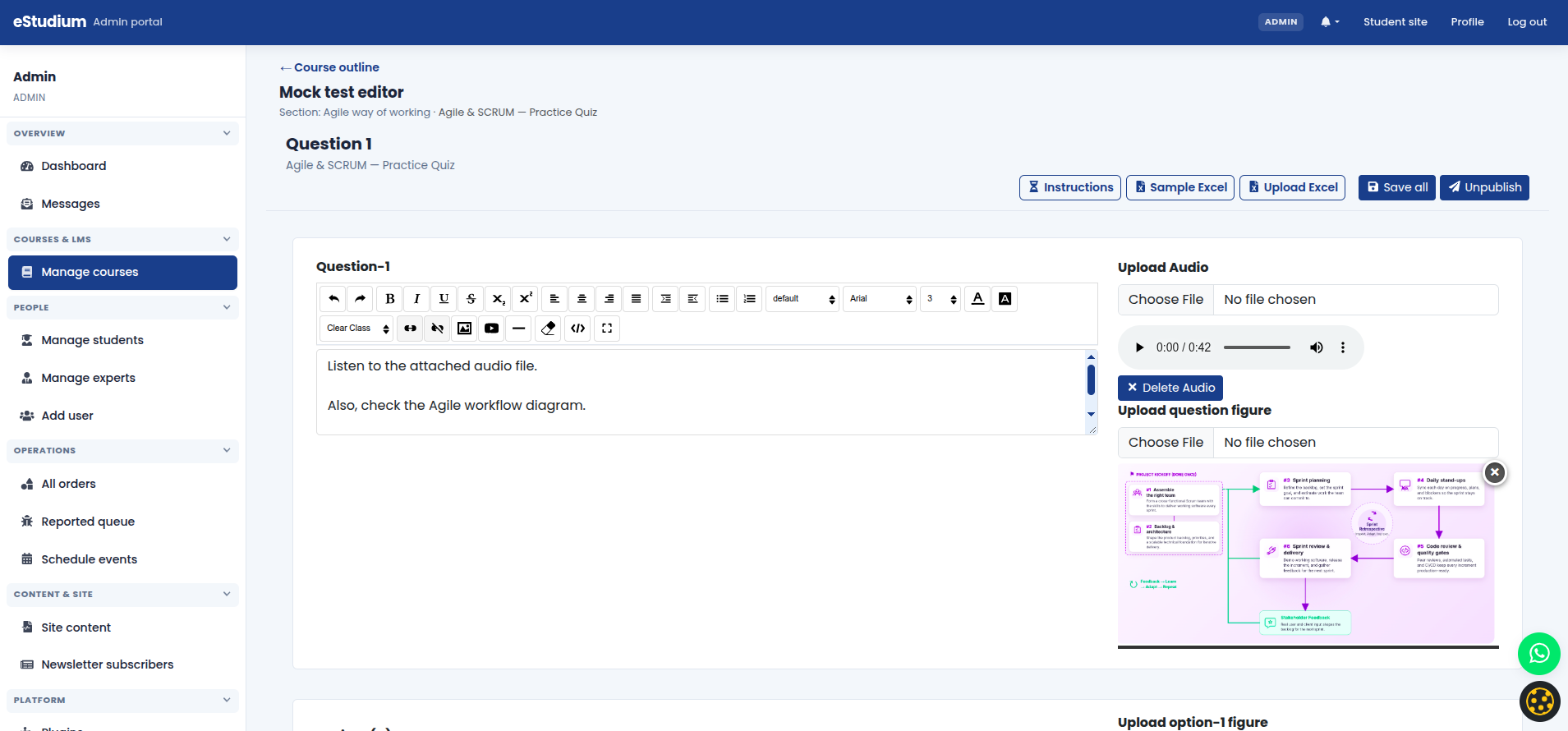
Quizzes attached to outline activities use the mock test engine: question bank, options, correct answers, timer, and instructions. Authors can include images and mathematical notation where supported.
Typical workflow
1. From the course outline, add a Quiz activity or open the linked mock test editor.
2. Enter instructions and duration.
3. Add questions (multiple choice and supported types per your version).
4. Publish the mock test and the outline activity together.
5. Students launch the quiz from My courses; attempts appear under Performance.
Gradebook
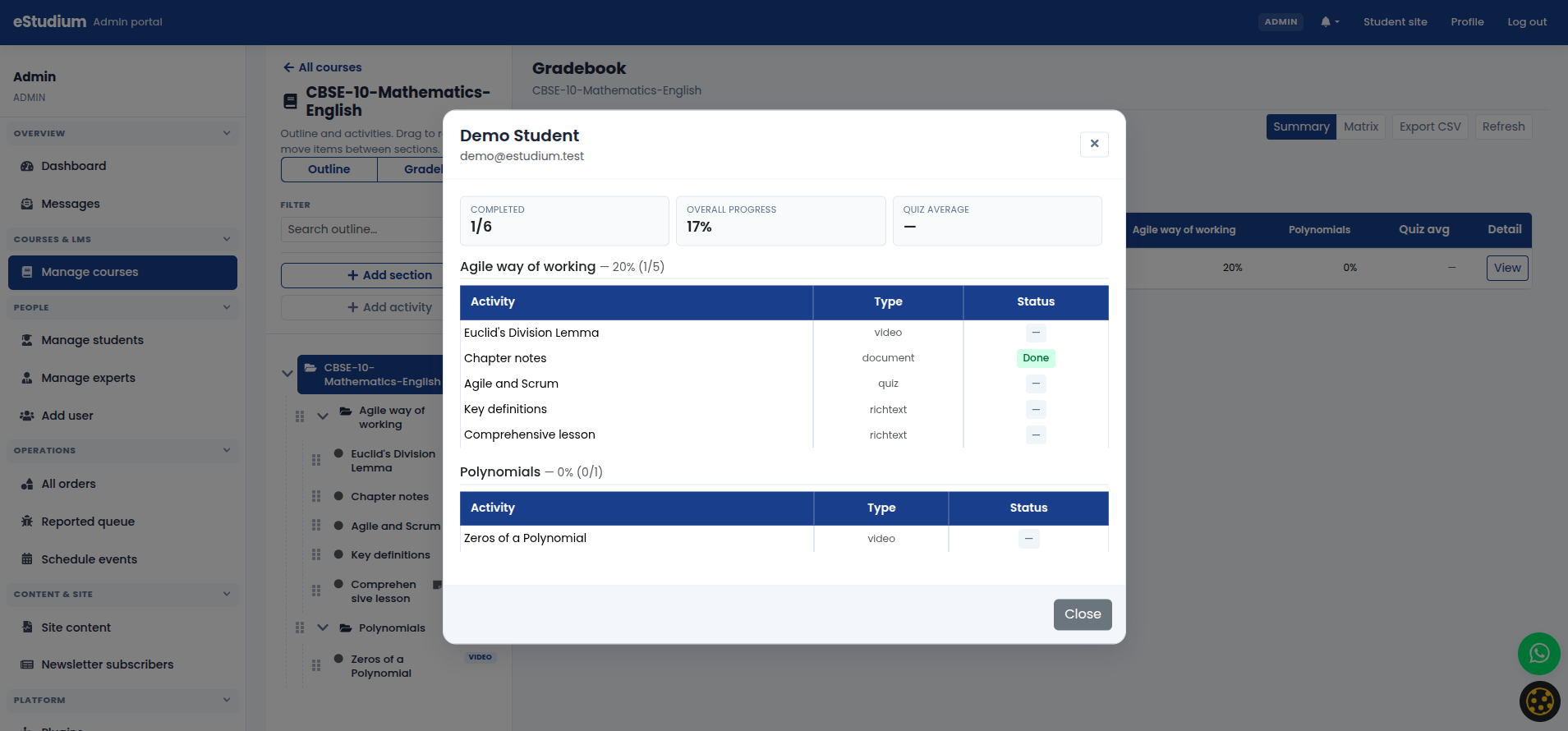
The course gradebook summarises assessment results for that course so staff can spot weak topics. Use it in review meetings and parent updates.
What you gain
- Defensible assessment data and a feedback loop to improve question quality.
See also
You finished Learning (LMS)
Continue to People and access →