Documentation
- Administrator
- Editor
Site content overview
Site content
Site content is the eMedhaa content management system (CMS) for your institute’s public website and shared chrome (header, footer, legal pages, blogs). It replaces one-off legacy editors with a single tree of pages and a block-based builder so marketing staff can change copy without deployments.
What problem Site content solves
Institutes typically need:
- A credible home page and programme marketing
- About and contact information
- Legal pages (privacy, terms, refunds)
- A blog or news channel
- Consistent logo, navigation, and footer on every student-facing screen
Site content keeps all of this in one place, versioned as draft or published blocks, with SEO metadata per page.
Who should use it
- Administrator: Full tree, header/footer, integrations toggles, blogs
- Marketing coordinator: Edit home, campaigns, FAQs (when given admin access)
- Expert: Usually no access to Site content
Page tree
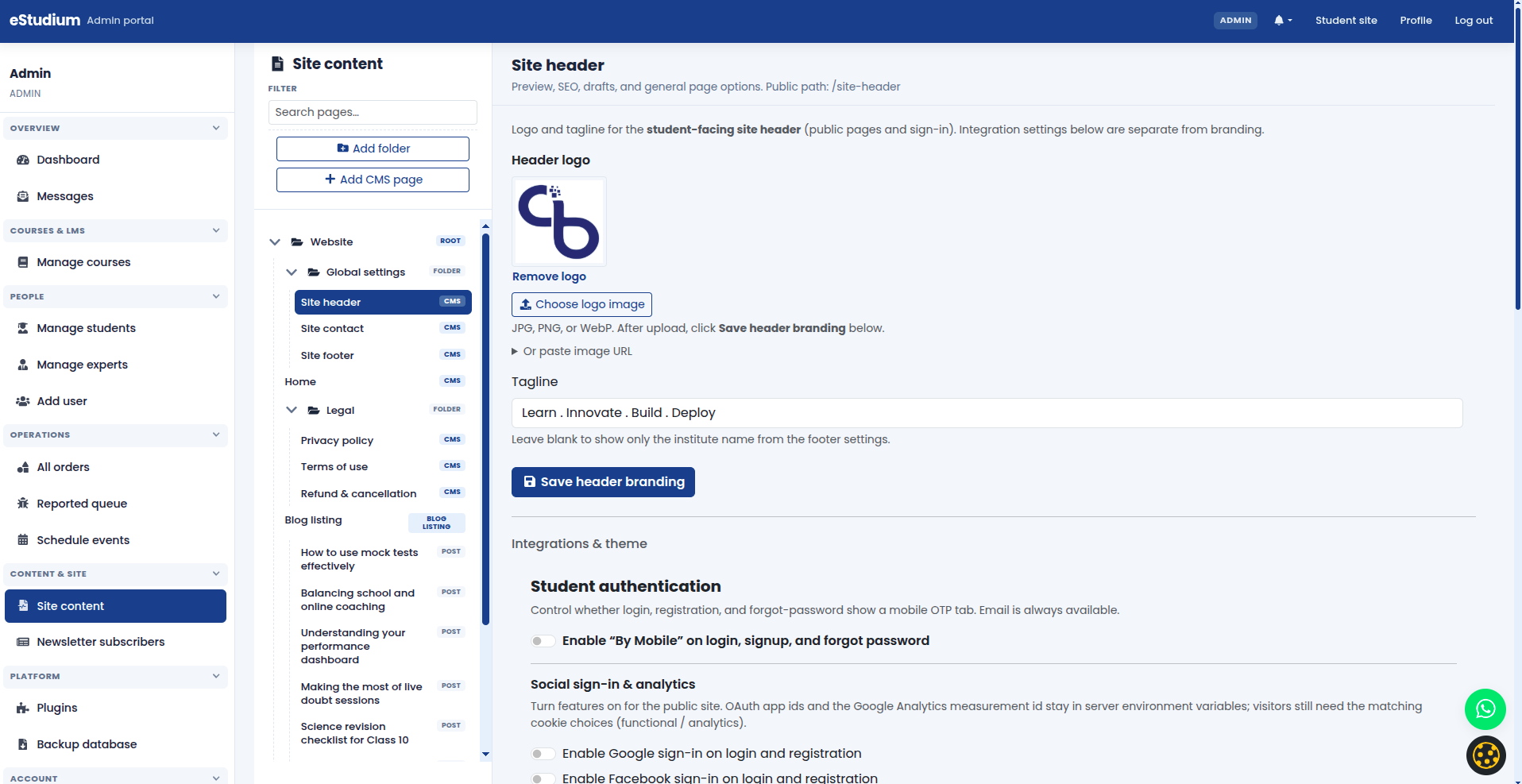
Pages and folders are organised in a tree (similar to a file manager). System pages (Home, policies, Site header) are protected; you add folders and custom pages for campaigns or landing experiences.
Blocks
Each page is built from blocks: reusable components such as heroes, rich text, feature cards, FAQs, testimonials, course showcases, and contact details. Blocks have properties (headline, image URL, HTML body) edited in the inspector.
Draft vs published
Each block can be saved as draft until you publish. Students only see published blocks on the live site. Use preview modes to check layout before publishing.
Site header and footer as pages
Site header and Site footer are special pages in the tree. They drive global settings: logo, analytics toggle, social login toggles, WhatsApp, student theme, and footer social links. See Site header and footer.
Relationship to the student app
The same eMedhaa application serves Site content pages and the logged-in portal. When students browse Products or Login, they still see your header/footer chrome from Site content. Learning content (My courses) comes from the LMS, not from CMS blocks.
Refresh marketing copy for a new academic year
-
Open Home → edit hero and feature blocks.
-
Update Course showcase to highlight new batches.
-
Publish; preview mobile layout.
-
Announce on blog (optional).
Launch a short campaign page
-
Add folder “Campaigns” (if needed).
-
Add CMS page with a clear title.
-
Build content with hero + rich text + CTA banner.
-
Add link from home hero button or navigation (per your theme).
-
Publish.
Maintain compliance
-
Review Privacy policy when you add analytics, OAuth, or a new payment provider.
-
Align cookie banner text with policy (see Cookie consent).
What you gain
- Faster campaign launches without developer tickets
- Consistent brand and legal coverage
- SEO control per page
Troubleshooting
| Changes not visible | Publish blocks; clear browser cache |
|---|---|
| Broken layout on mobile | Use preview; reduce wide tables in rich text |
| Wrong blog order | Blog listing settings block; manual order in blog post list |
| Image upload fails | File size limits; supported formats; check server storage |